
Field staff location tracking and KVKK
What to watch when processing location data.
ExploreSETS Module
SETS stores field locations with address and coordinates, keeps every action with user, device, location and time, and turns them into task and field activity reports.
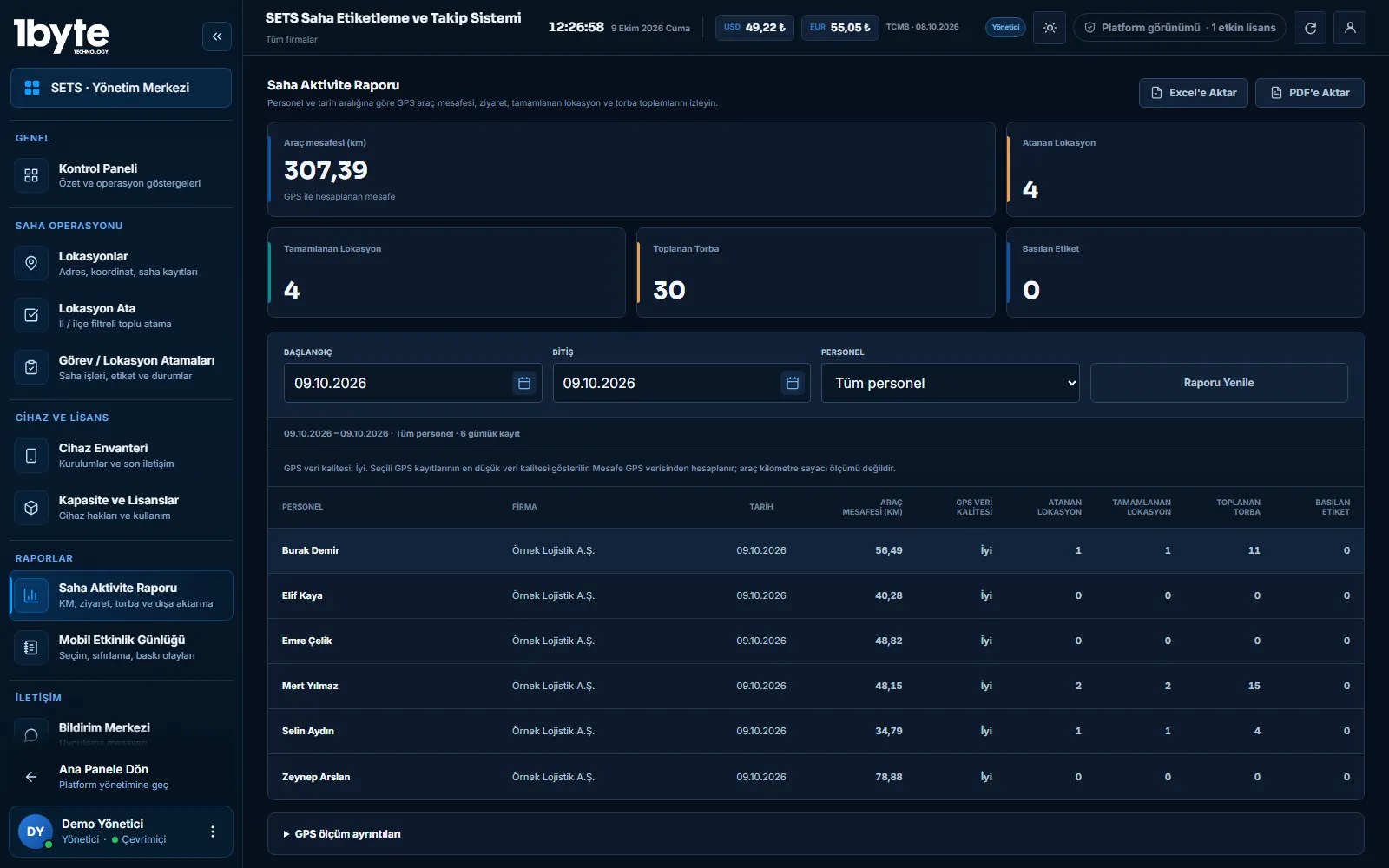
Locations are added in the panel one by one or in bulk with an Excel template. Every task completed in the field reaches the panel with user, device, location and time. The task report shows completed and pending work, and the field activity report shows distance, visits and counts; reports can be exported to Excel and PDF or sent by email.
Locations
A location is saved with an address and coordinates; coordinates can be found from the address text and the location can be opened on the map. Many locations can be added at once with the Excel import template; a preview is shown before import and records are saved after approval. Field staff can also save a new location from the field with its position.
Reporting
| Report | What it shows | Export |
|---|---|---|
| Task report | Assigned, completed, pending and cancelled work; user, device, location, time and deviation distance | Excel, PDF, email |
| Field activity report | Distance, visits and collected counts (e.g. bags) per person | Excel, PDF, email |
| Dashboard | Completed work and leading field staff for the selected date range | On screen |
Vehicle distance is an estimate calculated from GPS points; uncertain GPS distance is not included in the total.
Personal Data
Location is personal data under KVKK, the Turkish data protection law. The SETS panel includes a privacy notice template for location permission; the notice is shown to staff in the mobile app and the permission status can be reported from the panel. The purpose and retention of location data are decided by the company as the data controller.
Common Questions
Yes. Fill in the import template from the panel and upload it; records are added after you check them in the preview.
Reports can be downloaded as Excel or PDF, or sent from the panel to company users and the company email address.
Vehicle distance is an estimate calculated from the field device's GPS points. Unreliable GPS jumps are not included in the total.
No. Completion and location records are kept on the device and sent to the panel automatically when the connection returns.
Last updated: 9 October 2026
Related Pages
What to watch when processing location data.
ExploreAssign locations and get route suggestions.
ExploreCollection points, bag counts and distance reports.
ExploreQueued bulk label printing from ZIP files.
Explore