
Define points
Collection points are added with address and coordinates, in bulk from Excel if needed.
Use Case
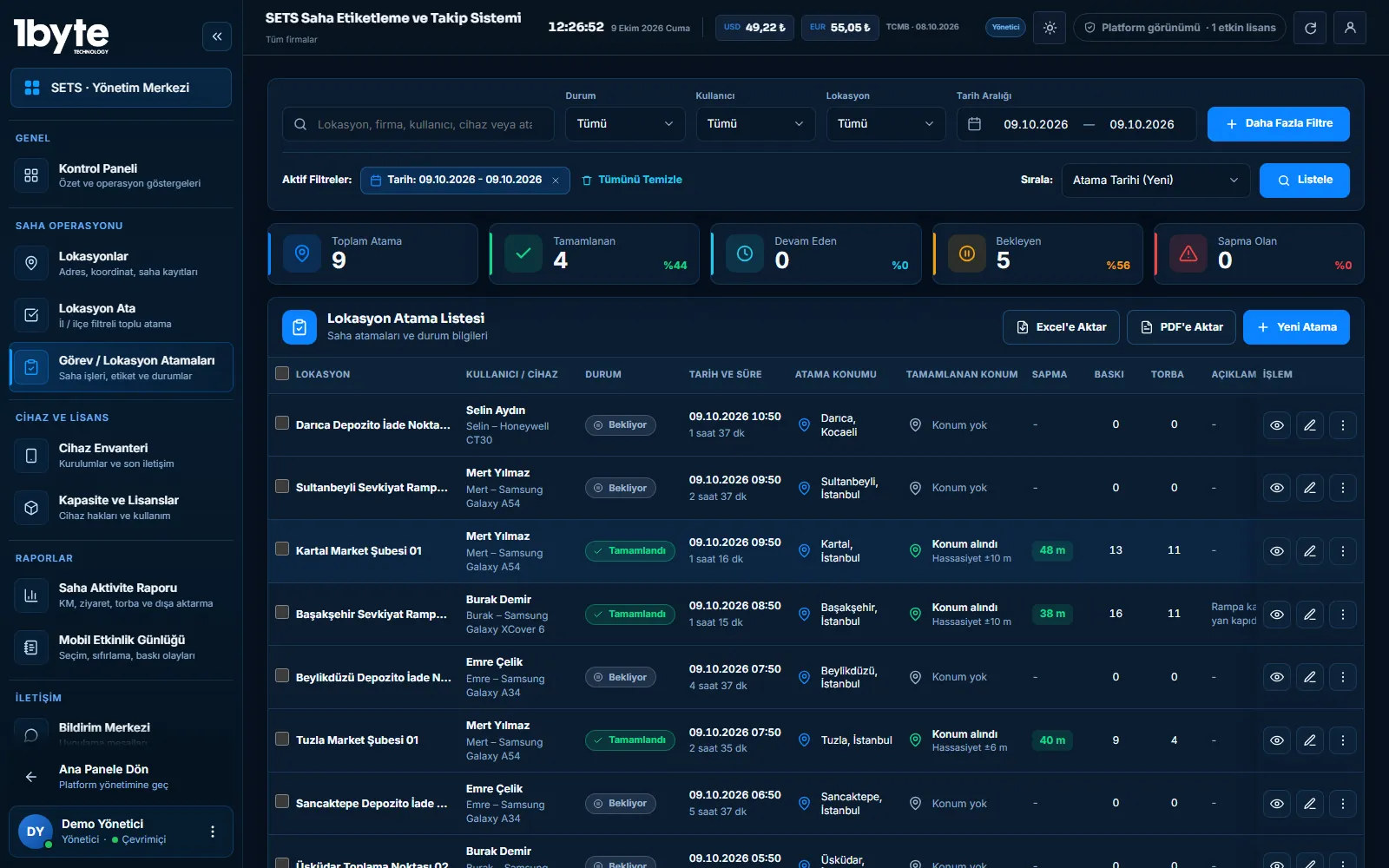
When there are many collection points, the team is in the field and every bag must be traceable, SETS assigns the points to teams, marks bags with readable QR labels and brings the collected count to the centre with location and time.
Collection points are defined as locations in the panel and assigned to teams with a route suggestion. In the field each bag is marked with a QR label, and the collected bag count and a note are entered when the point is completed. The record reaches the panel with location and time, and the field activity report shows bags, visits and distance per person.
Field Workflow
Collection points are added with address and coordinates, in bulk from Excel if needed.
Points are assigned to one or more teams with a depot-based route suggestion.
Bags are marked with QR labels in the field; labels are printed in bulk from a ZIP file.
The bag count and a note are entered when the point is completed; the record is sent with its location.
Bags, visits and distance per person are exported to Excel or PDF.
Traceability
A readable QR label links the physical bag in the field to the record at the centre. If a completion is outside the tolerance from the target point, it shows as a deviation in the task report, so work closed at the wrong place is noticed without waiting for the end of the day.
Common Questions
Field staff enter the bag count and an optional note when completing the point. The data is sent to the panel with location and time and totalled per person in the field activity report.
The panel creates a route suggestion from the depot and divides the points among the selected teams. The assignment can also be adjusted by hand.
Completion and location records are kept on the device and sent when the connection returns. Label printing uses Bluetooth, so it does not need internet.
Last updated: 9 October 2026
Related Pages
Route suggestions and assignments for collection points.
ExploreBag, visit and distance reports.
ExplorePrint bag labels in bulk from a ZIP file.
ExploreAn overview of all modules.
Explore