
License Management Platform
Track company licenses and user and device assignments from a central panel.
ExploreSETS Module
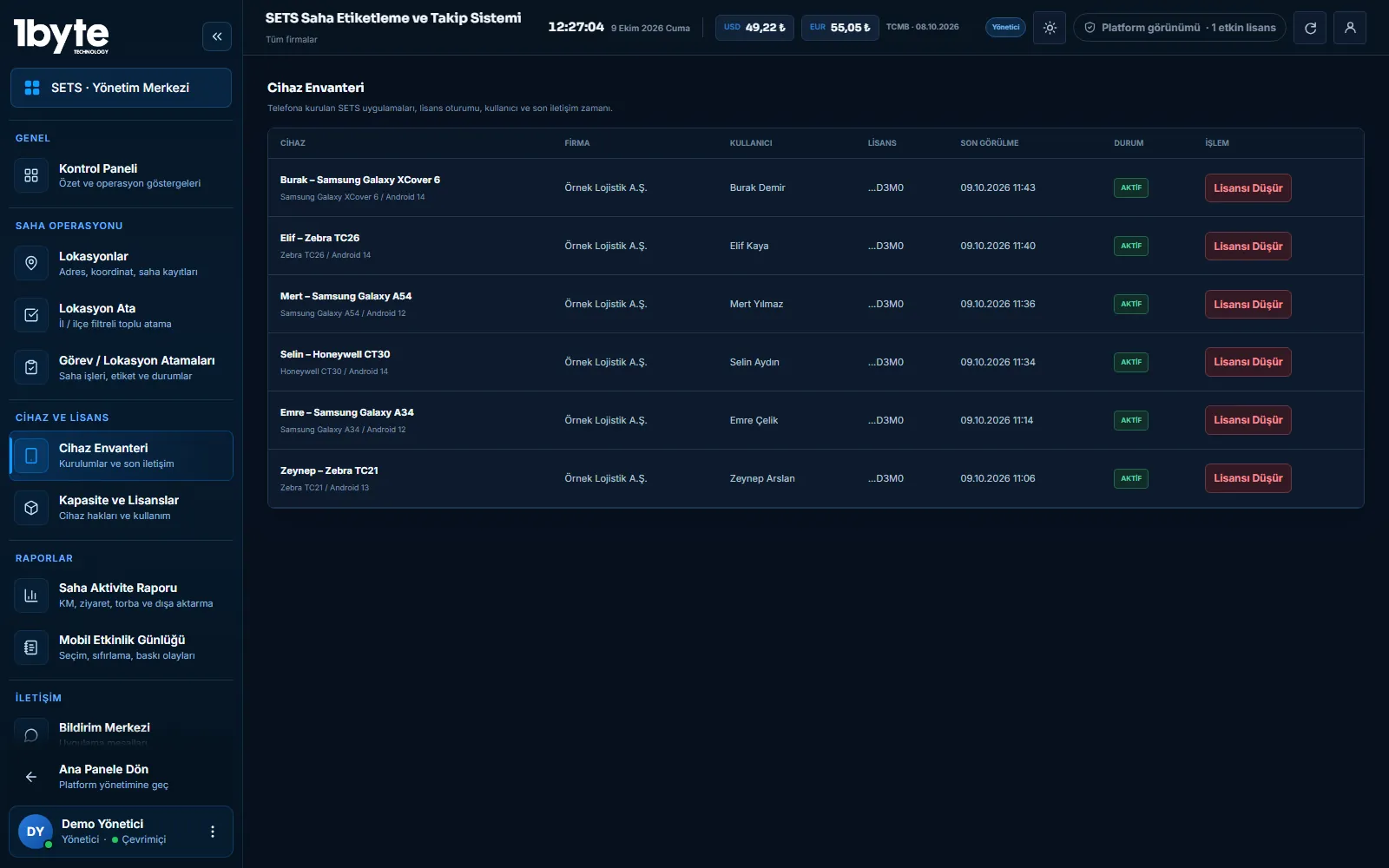
In SETS, each company's license pool, users and field devices are managed from one panel. A license is assigned to a user and a device; when a device changes, the old record is detached from the panel.
A license pool is created for the company and the company administrator assigns licenses to users and devices. The mobile app is activated with the company license on first launch. When a device is replaced, the old device is detached in the panel, a license can be revoked, and notifications can be sent to selected users from the panel.
Licensing
Each company has a set number of licenses and a term. The administrator assigns licenses per user and device; the panel shows who holds which license, how many are free and when they renew. Because license data is stored on the device, the app keeps working without internet.
Devices
Each field device is linked to a user. When a phone is replaced or lost, the old device is detached in the panel and the license moves to the new device. App updates are announced and installed from within the app.
Contact
From the panel you can select one or more users and send a notification message to the SETS app. The app keeps recent notifications, so the field team does not miss a shift change or an urgent announcement.
Security
Each company's locations, users and reports are kept separate; one company cannot see another's records. Panel users are authorised by role, and two-step verification is available for administrators.
Common Questions
The old device is detached in the panel and the license moves to the new device, so no license is wasted.
Yes. License data is stored on the device; the app works offline and records sync when the connection returns.
No. Each company's data is kept separate and only that company's authorised users can access it.
Last updated: 9 October 2026
Related Pages
Track company licenses and user and device assignments from a central panel.
ExploreAssign locations and get route suggestions.
ExploreQueued bulk label printing from ZIP files.
ExploreReport and export field activity.
Explore